


How to Link Aadhaar Card to HP Gas
Linking your Aadhaar card with your HP Gas connection is essential to receive LPG subsidies under the government's PAHAL (Pratyaksh Hanstantrit Labh) or Direct Benefit Transfer for LPG (DBTL) scheme. Once linked, the subsidy amount is credited directly to your Aadhaar-seeded bank account every time you book a cylinder. Without this link, you will not receive direct cash subsidy.
Benefits of Linking Aadhaar with HP Gas
The main benefits of linking your Aadhaar with HP Gas are mentioned below:
- Direct Subsidy Credit: Subsidy is transferred straight to your bank account under the PAHAL/DBTL scheme — no delays, no middlemen.
- Prevents Fraud: Biometric-based Aadhaar linking eliminates duplicate or ghost connections, ensuring genuine beneficiaries are protected.
- Smoother Transactions: A linked connection makes online booking, payment, and complaint tracking more seamless.
- Government Compliance: Linking is required under Government of India directives for all subsidised LPG connections.
Key Requirements Before Linking Aadhaar with HP Gas
Before initiating the Aadhaar–HP Gas linking process, ensure the following conditions are met. These are the most common causes of rejection:
- Name Match: The name on your Aadhaar card must exactly match the name on your HP Gas connection. Even minor spelling differences can cause the request to be rejected. Update either record before proceeding.
- Registered Mobile Number: Your mobile number must be registered with both your Aadhaar and your HP Gas account to receive OTPs for verification.
- Bank Account Linked to Aadhaar: To receive the subsidy directly, your bank account must be seeded with your Aadhaar number. Linking your HP Gas alone is not sufficient.
- Valid LPG ID: Keep your 17-digit LPG Consumer Number (found on your DGCC/blue book) handy before starting.
Details Required to Link Aadhaar to HP Gas
The details that must be provided to link your Aadhaar to the HP Gas connection are mentioned below:
Document | Purpose |
Aadhaar Card (original or photocopy) | Primary identity proof for linking |
HP Gas Consumer Number / LPG ID | Identifies your specific gas connection |
First page of DGCC / Blue Book | Confirms your HP Gas connection details |
Latest Delivery Receipt | Proof of active connection |
Address Proof (e.g., utility bill, rental agreement) | Required only if your HP Gas delivery address differs from your Aadhaar address |
Aadhaar Registration Sheet (Points 1–6) | Required for post-based submission |
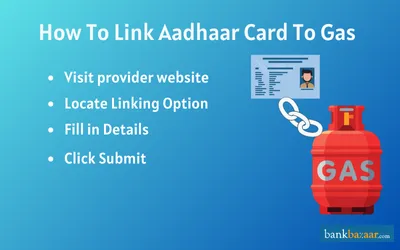
How to Link Aadhar Card to HP Gas Connection Through IVRS Method?
To link your Aadhaar card to HP gas connection through IVRS method, follow the steps mentioned below:
- Step 1: Visit the Hindustan Petroleum Corporation Ltd. Website.
- Step 2: Choose your state from the list to obtain the respective phone number.
- Step 3: To link your Aadhaar card to your HP gas connection, call the number and follow the instructions.
- Step 4: Next your 12-digit Aadhaar number must be entered, and you must press 1 to confirm it.
How to Link Aadhaar Card to HP Gas Connection Through Offline Method?
To link your Aadhaar card to your HP gas connection through offline method, follow the process mentioned below:
- Obtain the LPG linking form from your nearest HPCL distributor or print the online form.
- Complete all fields, including those for your Aadhaar and LPG IDs.
- With the form, include a self-attested copy of your Aadhaar card.
- Send the form to the HPCL distributor in your area.
How to Link Aadhaar Card to HP Gas Connection Through Online Method?
Follow the process mentioned below to link your Aadhaar card to HP gas connection through online method:
- First, make sure that your mobile number is registered with HP Gas.
- To commence the process, you will have to visit the official website of PMUY.
- Enter the LPG ID and click on ‘Submit’.
- On the next page, select ‘Link Aadhaar’.
- Enter the Aadhaar number.
- Enter the OTP that is sent to the registered mobile number.
- Click on ‘Submit’ to complete the process.
HP Gas App
- Download the HP Gas App from the Google Play Store or Apple App Store.
- Log in to your account using your registered mobile number and LPG Consumer Number.
- From the main dashboard, tap on the ‘Join DBTL’ or ‘Link Aadhaar’ option.
- Enter your 12-digit Aadhaar number and submit.
- Verify using the OTP sent to your Aadhaar-registered mobile number.
- Linking is completed with a single tap confirmation on the dashboard.
Via Speed Post
- Collect or download the Aadhaar Registration Sheet and complete all fields (Points 1–6).
- Prepare the following documents for posting:
- Photocopy of Aadhaar card
- Proof of address (if your HP Gas delivery address differs from your Aadhaar address)
- Photocopy of the first page of your DGCC/blue book
- Most recent delivery receipt
- Completed Aadhaar Registration Sheet
- Send the documents via speed post to your nearest HP Gas office or distributor. The Government of India accepts documents sent through speed post for this purpose.
- Allow additional processing time compared to in-person or online methods.
FAQs on How to Link Aadhaar Card to HP Gas
1.Is there any customer care number that I can call to link my Aadhaar card to HP gas?
Yes, the Government of India has set up a call center to assist citizens to link their Aadhaar card to HP gas connection. The toll-free number for the center is 18002333555.
2.What are the documents will I need to link my Aadhaar card to HP gas connection?
To link your Aadhaar card to your HP gas connection you will need your Aadhaar card, copy of first page of blue card/DGCC, address proof, and latest delivery receipt.
3.Can I link my Aadhaar card to my HP gas connection through text?
Yes, you can link your Aadhaar card to your HP gas connection through text.
4.How can I know what the subsidy amount of my HP gas is?
Visit http://mylpg.in/index.aspx where you must enter your 17-digit LPG ID and press "Submit." By providing information about your bank account and Aadhaar number, you can then see the subsidy amount you would be able to receive.
5.What is the official website of HP gas where I can link my Aadhaar card?
You can visit the official website UIDAI to link your Aadhaar card to your HP gas connection.

Disclaimer
Credit Card:
Credit Score:
Personal Loan:
Home Loan:
Fixed Deposit:


Copyright © 2026 BankBazaar.com.