


How to Pay Mahanagar Gas Limited (MGL) Bill Online
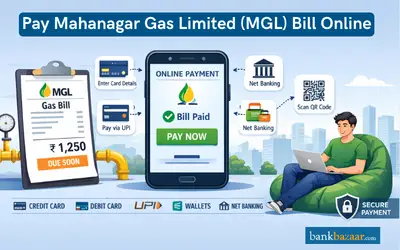
The process to pay the MGL bill can be completed online and the process is simple. You can pay the bill on the official website of the company, via Google Pay or PhonePe, or by using wallets such as Amazon Pay, Freecharge, or Paytm.
The various sections that are mentioned on the bill are mentioned in the table below:
Bill Details |
|
Current Bill Details |
|
Consumption Details |
|
Mahanagar Gas PNG Bill Calculation
The general pattern that MGL follows is to provide a bill every two months. The initial bill is based on the consumption of Actual gas (based on the metre reading), while the second bill is based on the Assessed reading.
The bill depends on the consumption of gas and the slab rate it falls under. The rates are higher if more gas is consumed.
The general pattern that MGL follows is to provide a bill every two months. The initial bill is based on the consumption of Actual gas (based on the metre reading), while the second bill is based on the Assessed reading.
The bill depends on the consumption of gas and the slab rate it falls under. The rates are higher if more gas is consumed.
How to Pay Mahanagar Gas Limited Bill
Once you receive the MGL bill, the payment can be made online or by using applications such as Google Pay, PhonePe, Paytm, Freecharge, etc. The process to make the payment is simple and fast.
Once you receive the MGL bill, the payment can be made online or by using applications such as Google Pay, PhonePe, Paytm, Freecharge, etc.
The process to make the payment is simple and fast and is mentioned below:
MGL Bill Payment on the Official Website
The procedure to pay the bill on the company's official website is mentioned below:
- Visit the official website of Mahanagar Gas.
- Select 'Click to enter the site'.
- Under the 'Customer Zone' section, you will find the 'Online Payment' option, click on it.
- Enter the CA number on the next page.
- Click on 'Go'.
- The details of the bill will be displayed. You will have the option to pay the bill as well.
MGL Bill Payment via Apps
The different apps that can be used to pay the bill are Paytm, Google Pay, PhonePe, Freecharge, etc. The procedure to pay the bill on Paytm is mentioned below:
- Log in to your Paytm account.
- Go to 'Recharge & Bill Payments'.
- Select 'Piped Gas'.
- On the next page, choose the gas provider. In this case, you must select 'Mahanagar Gas - Mumbai'.
- Enter the consumer number and click on 'Proceed'.
- The bill details will be displayed on the next page. You will also find the option to make the payment.
FAQs on Pay Mahanagar Gas Limited (MGL) Bill Online
1.How will I know the billing cycle?
You can provide the BP or Contract Account (CA) number to know the billing cycle.
2.What documents do I need to submit in case of name transfer?
You will need to provide the electricity bill and sale deed to change the name.
3.What should I do in case the bill has not been received?
You can contact customer care or send an email to support@mahanagargas.com in case the bill has not been received.
4.Will I receive an acknowledgment once the bill is paid?
Yes, an acknowledgment will be provided once you pay the bill.
5.Can I make advance payments?
Yes, advance payments can be made.

Disclaimer
Credit Card:
Credit Score:
Personal Loan:
Home Loan:
Fixed Deposit:


Copyright © 2026 BankBazaar.com.