


Link Aadhar Card to Indane Gas
The Government of India has encouraged the linking of all Aadhaar Cards to the respective customer's LPG connection, as it makes it easier to transfer subsidies. Customers have four options when it comes to linking their Aadhaar Cards to their Indane Gas LPG connection: offline mode, online mode, SMS method, and IVRS method.
Why Should You Link Your Aadhaar Card with Indane Gas?
Some of the main reasons why your Aadhaar Card must be linked with Indane Gas are mentioned below:
- Direct Subsidy Credit: Your LPG subsidy amount is credited automatically to the bank account linked with your Aadhaar, with no need to follow up with distributors or government offices.
- Eliminates Duplicate Connections: Aadhaar-based linking helps the government identify and remove fraudulent or duplicate gas connections, making the system fairer for genuine consumers.
- Reduced Paperwork: Once linked, most transactions such as rebooking and subsidy verification are handled digitally.
- Transparency: You can check your subsidy credit and linking status online at any time.
- Required for PAHAL/DBTL Benefits: Only consumers whose Aadhaar is linked to both their LPG connection and their bank account receive subsidised cylinder prices under the government scheme. The government subsidises up to 12 cylinders per household per financial year.
Details Required before Linking Aadhaar Card to Indane Gas
Requirement | Details | Why it Matters |
Aadhaar Number | Your 12-digit Aadhaar number or physical/e-Aadhaar card | Core identifier for the linking process |
17-Digit LPG Consumer ID | Found in your LPG passbook (blue book), subscription voucher, or on the IOCL website | Uniquely identifies your gas connection |
Registered Mobile Number | The mobile number registered with your Indane Gas account and/or with UIDAI | Required to receive OTPs for online verification |
Bank Account Linked to Aadhaar | Your Aadhaar must also be seeded with your bank account | Without this, subsidy cannot be paid directly to you |
Name Match | The name on your Aadhaar must exactly match the name on your LPG connection | Even minor spelling differences can cause the system to reject the request |
LPG Passbook/Blue Book | Your Domestic Gas Consumer Card (DGCC) or the first page of your consumer booklet | Required for offline/distributor-based linking |
How to Link Aadhaar to Indane Gas Online?
If you wish to take the online route to link your Aadhaar Card to your Indane LPG connection, follow the process mentioned below:
- First, make sure that your mobile number is registered with Indane Gas.
- To commence the process, you will have to visit the official website of PMUY.
- Enter the LPG ID and click on ‘Submit’.
- On the next page, select ‘Link Aadhaar’.
- Enter the Aadhaar number.
- Enter the OTP that is sent to the registered mobile number.
- Click on ‘Submit’ to complete the process.
How to Link Aadhaar to Indane Gas through IVRS?
The process to link the Aadhaar to the Indane Gas via IVRS is mentioned below:
- Find the IVRS number for your specific district or state on the Indane Gas/IOCL official website, or ask your distributor. The number is also printed on your delivery cash memo.
- Call the IVRS number from your registered mobile number.
- Select your preferred language when prompted.
- Follow the voice prompts and choose the ‘Link Aadhaar’ option.
- Enter your 12-digit Aadhaar number as instructed, along with your Indane consumer number (include the leading zero if applicable).
- Confirm the details when prompted.
- Your request will be processed after due verification by the authorities.
- A confirmation message will be sent to your registered mobile number once approved.
How to Link Aadhaar to Indane Gas through SMS?
The process to link your Aadhaar Card to Indane Gas LPG connection using the SMS method is given below:
- First need to ensure that your mobile number is registered with your LPG provider.
- If it is not registered, you can simply send an SMS saying 'IOC < STD Code + Distributor Telephone Number > < Consumer Number > and send it to the number corresponding to your district.
- After you have registered your mobile number with Indane Gas, you will have to send another SMS to link your Aadhaar Card to your Indane LPG connection.
- The SMS must contain the text UID < Aadhaar Number > and must be sent to the same number to which you sent the message for registering your mobile number.
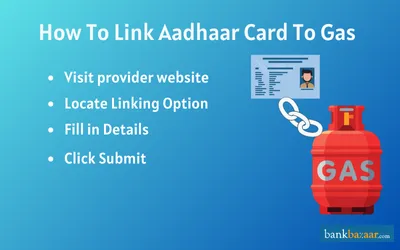
How to Link Aadhaar to Indane Gas Offline?
To link your Aadhaar Card to Indane LPG connection in offline please follow below steps:
- Ensure that a few documents are kept ready, such as our Indane LPG blue book, your E-Aadhaar card or Aadhaar Card, and Form No.2 - Application Form.
- The first step in the process of linking your Aadhaar Card to your Indane Gas connection is to download the application form and take a print out of the same.
- Then fill in the information required, and since you are a user of Indane, the name of the company must be entered as IOCL.
- Then you will have to enter your LPG ID and other details as requested.
- Mail it to the respective area office.
- Once you have provided all the information, you will have to visit your local Indane distributor to furnish the form.
- Make sure to obtain an acknowledgment slip from the officials.
- After the officials have cross verified the information you have provided, your Aadhaar Card will be successfully linked with your Indane Gas LPG connection.
How to Link Aadhaar to Indane Gas through Customer Care?
Customers can also call Indane gas customer care from anywhere in the country to register their Aadhaar number with their LPG connection.
Call toll free number 1800 2333 555 from your registered mobile number and update your Aadhaar number and mobile number.
FAQs on Link Aadhar Card to Indane Gas
1.How can I know my 17-digit LPG ID?
You can check your 17-digit Indane Gas LPG ID by visiting the Indane Gas website where on the left-hand side of the page click on ‘How Do I’ and click again on ‘Find 17-digit LPG ID’. You can then conduct a quick or a normal search to look for your LPG ID.
2.How can I book Indane gas through WhatsApp?
On your WhatsApp messenger type ‘REFILL’ and send the message to 7588888824.
3.Is it mandatory to link my Aadhaar with my Indane Gas account?
Yes, it mandatory to link your Aadhaar with your Indane Gas account.
4.What are the details that I will be able to find in my gas booklet?
You will be able to find your card serial number, LPG ID or customer number, and subscription voucher number on your gas booklet.
5.Can I get an Indane Gas connection without having to provide local address proof?
Yes, you can get an Indane Gas connection without having to provide local address proof. You only will have to provide a copy of your Aadhaar and a self-declaration form.
6.Can I use my Aadhaar to get two gas connections?
No, you cannot use your Aadhaar to get two gas connections.
7.How can I do KYC at home
Yes, you can visit Indane’s official website and provide the details of your Aadhaar and validate it by providing the OTP sent to your registered mobile number. Once it is verified, provide relevant details as asked and your KYC is successful.
8.Can I transfer my gas connection to my wife’s name?
Yes, you can transfer your gas connection to your wife’s name. All you need to do is sign and submit the declaration form stating that you are transferring your gas connection to your spouse’s name along with all the relevant proof of ID and proof of address.

Disclaimer
Credit Card:
Credit Score:
Personal Loan:
Home Loan:
Fixed Deposit:


Copyright © 2026 BankBazaar.com.