


Link Aadhaar Card To Bharat Gas
Linking your Aadhaar number to the Bharat Gas connection is a simple process. In this article, we take a look at the process of how one can link the 12-digit Aadhaar number to their Bharat Gas connection through online, offline and IVRS modes.
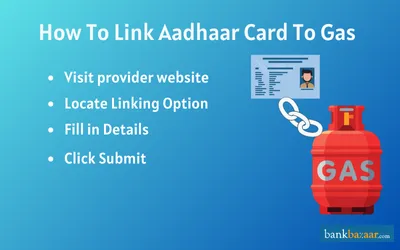
Linking your Aadhaar card to your Bharat Gas (BPCL) connection is an important step that allows you to receive the government's LPG subsidy directly into your bank account under the PAHAL (Pratyaksh Hanstantrit Labh) scheme, also known as the Direct Benefit Transfer of LPG (DBTL) scheme. Without this linkage, you will not receive any subsidy on your LPG refills.
What are the Benefits of Linking Aadhaar to Bharat Gas?
Some of the main benefits of linking your Aadhaar number to Bharat Gas are mentioned below:
- LPG Subsidy via Direct Benefit Transfer (DBT): The government subsidy amount is credited directly to your linked bank account after each cylinder booking, making fuel more affordable.
- Secure Identity Verification: Aadhaar integration reduces the risk of fake or duplicate connections, ensuring genuine consumers benefit from the scheme.
- Simplified Digital Records: All your transactions and subsidy credits are linked to your unique Aadhaar number, making account management easier.
- Eligibility Tracking for Government Schemes: A linked account allows you to be tracked for future government energy schemes and benefits.
- Prevention of Misuse: Linking prevents unauthorised use of your gas connection and curbs black-market cylinder sales.
Requirements for Linking Aadhaar Number to Bharat Gas
- Exact Name Match: The name on your Aadhaar card must exactly match the name on your Bharat Gas consumer account. Even minor spelling differences can cause the system to reject the request. If there is a discrepancy, update your details in either database before proceeding.
- Aadhaar Linked to Bank Account: To receive the LPG subsidy directly in your bank account, your Aadhaar must also be linked to your bank account. If your Aadhaar is only linked to your gas connection and not to a bank account, the subsidy will not be paid to you directly.
- Active LPG ID: You will need your Bharat Gas Consumer Number (also called your LPG ID), which is printed on your gas subscription voucher, gas passbook (blue book), or any recent delivery receipt.
- Mobile Number: For online and OTP-based methods, the mobile number registered with your Bharat Gas account must be active and in your possession during the linking process.
How to Link Aadhaar to the Bharat Gas connection Online?
If you wish to take the online route to link your Aadhaar Card to your Bharat Gas LPG connection, follow the process mentioned below:
- First, make sure that your mobile number is registered with Bharat Gas.
- To commence the process, you will have to visit the official website of PMUY.
- Enter the LPG ID and click on ‘Submit’.
- On the next page, select ‘Link Aadhaar’.
- Enter the Aadhaar number.
- Enter the OTP that is sent to the registered mobile number.
- Click on ‘Submit’ to complete the process.
How to Link Aadhaar to Bharat Gas connection Offline?
Customers who wish to link their Aadhaar number to their Bharat gas connection using offline mode can do so by submitting the filled up to the LPG distributor or by sending it via post. The detailed process is as follows:
- Download the Linking Form or collect it from the local Bharat Gas distributor's office.
- Fill in the details requested, such as your name, mobile number, LPG Consumer Number, Aadhaar number and address
- Submit the form at the distributor's office or send it via post.
- On successful verification, the linking will be carried out.
How to Link Aadhaar to Bharat Gas Connection via IVRS?
- Call the Bharat Gas IVRS number 1800-22-4344 from the mobile number registered with your gas connection.
- Select your preferred language from the options provided by the automated voice system.
- Follow the voice prompts to select the ‘Link Aadhaar’ option.
- Enter your 12-digit Aadhaar number using the phone keypad when prompted.
- Confirm the details as instructed by the system. You will receive a confirmation SMS once the request has been successfully submitted.
How to Link Aadhaar to Bharat Gas Connection via Call Centre?
- Call the national LPG helpline at 1800-2333-555 (toll-free).
- Inform the customer care executive that you wish to link your Aadhaar card with your Bharat Gas connection.
- Provide the executive with your 12-digit Aadhaar number, your LPG Consumer Number, and your registered mobile number.
- Follow any further instructions given by the representative. Your Aadhaar number must already be registered against your mobile number in the Aadhaar database for verification to succeed.
- Once the request is submitted, you will receive confirmation via SMS. Follow up if you do not receive confirmation within 48 hours.
FAQs on How to Link Aadhaar Card to Bharat Gas
1.Will I have to pay anything to link my Aadhaar to Bharat Gas?
No, you will not be required to pay anything to link your Aadhaar to Bharat Gas.
2.How much time will it take to get my Aadhaar linked with Bharat Gas?
Once you submit the necessary documents, the gas providing company will verify it and if everything is correct then your Aadhaar will be linked to your Bharat Gas account. This whole process can take roughly 10-15 days, or even lesser in some cases.
3.I don't have an Aadhaar. Will I be able to book a gas cylinder from Bharat Gas?
Yes, you can still book a gas cylinder from Bharat Gas even if you don't have an Aadhaar.
4.Is it compulsory for me to link my Aadhaar with Bharat Gas?
It is recommended you link your Aadhaar so that you can book your gas cylinder from Bharat Gas easily. Apart from that, having your Aadhaar linked helps you enjoy benefits if applicable.
5.My mobile number on Aadhaar got changed. Should I update the same for Bharat Gas?
Yes, you should inform the gas company regarding the change in your mobile number. You will have to fill the applicable form for the change to reflect. You can either do this online or offline, or via IVRS. You can also call the customer care number of Bharat Gas to get your mobile number updated.

Disclaimer
Credit Card:
Credit Score:
Personal Loan:
Home Loan:
Fixed Deposit:


Copyright © 2026 BankBazaar.com.