


SBI Mini Statement – How to Check Recent Transactions
Account holders can easily review their latest debit and credit transactions without going to the bank by using the SBI Mini Statement service. Customers can use the SBI mini statement number, SMS, mobile banking apps, or missed calls to examine their latest ten transactions in their savings account.

What is the SBI Mini Statement?
The SBI mini statement displays your latest account transactions quickly and straightforwardly. The SBI mini statement number, SMS, WhatsApp, YONO app, or an ATM are some of the ways you can check it at any time. This makes it easier to monitor account activity from anywhere at any time.
Advantages of SBI Mini Statement Service
The benefits of SBI Mini Statement service are as follows:
- Access your mini statement without needing to enter login details.
- Quick and simple access
- Receive transaction details immediately after requesting them, keeping you up to date.
- Perfect for users with limited or no internet access.
- No need for a smartphone or computer, a basic phone with SMS is sufficient.
- No need to visit the bank or stand in queues to check your transactions.
- Eligible customers can use missed call banking for even easier access to account details.
Methods to Get SBI Mini Statement
Method | Steps to Follow |
SMS Banking (SBI Quick) |
|
Missed Call Banking |
|
Net Banking |
|
Mobile Banking (YONO SBI App) |
|
ATM |
|
WhatsApp Banking |
|
Branch Visit |
|
Steps to Register Mobile Number for SBI Mini Statement
To register your mobile number for SBI Mini Statement services and activate SMS banking, follow these simple steps:
Step 1: If your mobile number is not yet registered with your SBI account, you can do so via SMS.
Step 2: Send an SMS in the following format: REG <space> <Account Number> For example, if your account number is 122446688013, you should send:
REG 122446688013 Send this SMS to the number: 09223488888.
Step 3: Once your SMS is sent, the bank will register your mobile number with your SBI account, allowing you to receive mini statements via SMS.
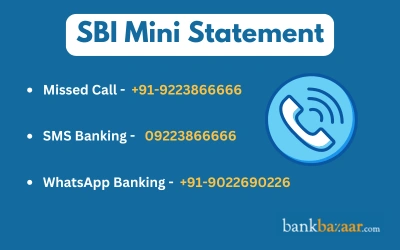
Step 4: Once your mobile number is successfully registered, you can receive your SBI mini statement by simply sending a missed call to 09223766666.
Step 5: You will receive an SMS containing your last five transactions, giving you quick access to your account activity.
Steps to Get SBI Mini Statement via Net Banking
Ensure you have already registered for SBI Net Banking. If not, you can complete the registration process at your nearest branch or online. Here’s a step-by-step guide on how to get your SBI Mini Statement through Net Banking:
- Enter your user ID and password to access the official SBI Internet Banking website
- Click the Account Statement option under the My Accounts & Profile tab to view the specifics of your previous 10 transactions
- Choose the account for which you wish to view the mini statement, then click Go after choosing the statement period and View or Download
- Your account transactions for the chosen time frame will appear on the screen.
How to Get SBI Mini Statement by Mobile Banking
State Bank of India (SBI) offers the convenience of accessing your mini statement through the YONO SBI mobile banking app. Below are the detailed steps to get your SBI mini statement using the mobile banking service:
Step 1: First, download the YONO SBI app from the Google Play Store (for Android users) or the Apple App Store (for iOS users).
Step 2: Simply search for ‘YONO SBI’ in your respective app store and click Install to get the app on your phone.
Step 3: After installing the app, open the YONO SBI app on your phone.
Step 4: Use your login credentials to sign in. This typically involves entering your username (User ID) and password, or you may need to authenticate using other methods like fingerprint recognition or an OTP (One-Time Password), depending on the settings you have chosen.
Step 5: Once logged in, you will be directed to the app’s homepage. Here, look for the option labeled ‘My Accounts’ and select it. This section will show you all the accounts linked to your YONO SBI profile.
Step 6: After selecting My Accounts, a list of options will appear. Among these, select the ‘Mini Statement' option. This will allow you to view a summary of your recent account activity.
Step 7: The app will now display your SBI Mini Statement, showing a summary of the last 8 transactions that have been processed in your account. You can easily see details such as the transaction amount, date, and description for each entry.
How to Get SBI Mini Statement through SBI ATM
SBI account holders can easily access their mini statement through any nearby SBI ATM. The process is simple and quick. Here’s how you can do it:
- Fill the ATM with your debit card
- Choose the "Mini Statement" option after selecting your favorite language from the list of alternatives
- Input your ATM PIN, which consists of four digits
- The ATM will provide you with a printed receipt detailing your most recent transactions.
Steps to Get SBI Mini Statement via Missed Call
This method is quick and convenient, providing you with the necessary account details in just a few moments, without requiring internet access or visiting a bank branch.
- Simply place a missed call from your registered mobile number to the following number to obtain your SBI mini statement:
- Your small statement will be sent to you by SMS as soon as you make a missed call.
Steps to Get SBI Mini Statement via WhatsApp Banking
State Bank of India (SBI) offers a simple and convenient way to access your mini statement and check your account balance through WhatsApp banking. Follow these steps to use this service:
Step 1: First, save the official SBI WhatsApp banking number +91-9022690226 to your phone's contact list. This number is dedicated to offering banking services through WhatsApp.
Step 2: Open WhatsApp and search for SBI WhatsApp in your contacts.
Step 3: Once you find the contact, open the chat window and send the message ‘Hi’. This message will initiate a conversation with the SBI WhatsApp service and trigger an automatic response.
Step 4: After sending the “Hi” message, you will receive a menu with different options for banking services.
Step 5: To get your mini statement, reply with 2. The mini statement you receive will contain details of your most recent transactions, making it a quick and easy way to stay informed about your account activity.
Steps to Get SBI Mini Statement using SBI Quick SMS Banking
SBI provides a convenient SMS banking service called SBI Quick, which allows account holders to access their mini statement via SMS. If you have multiple SBI accounts, you can register for the SBI Quick SMS service for only one account at a time. To switch to a different account, you must de-register the service from the current account and then register it for the new account.
Here are the detailed steps for getting your SBI mini statement through this service:
Step 1: To request your mini statement, open your SMS app and type the message ‘MSTMT’. This is the short code for requesting a mini statement.
Step 2: Send the message to 09223866666. This is the dedicated number for SBI Quick SMS banking service.
Step 3: Within moments, you will receive an SMS containing the details of your last five transactions from your SBI account. This will be sent to the mobile number registered with your account.
Yono Lite's SBI Mini Statement
If you have installed the SBI Yono Lite app on your phone, you can view your mini statement by doing the following:
- Enter your user ID and password to access your SBI Yono Lite application
- From the homepage, select My Accounts
- To view your bank account's tiny statement, select the Mini Statement option.
How to Get SBI Mini Statement at an SBI Branch
This method is ideal for customers who prefer in-person service or need a physical printout of their mini statement. To obtain your SBI mini statement at an SBI branch, follow these simple steps:
Step 1: Visit the nearest SBI branch and approach the customer service desk.
Step 2: Request a mini statement by providing your account details (account number or passbook).
Step 3: The bank representative will print your mini statement, showing the most recent 5 to 10 transactions.
FAQs on SBI Mini Statement
1.Is there a toll-free number for obtaining the SBI mini statement?
Yes, you can get your SBI mini statement by calling 09223866666. This toll-free number will provide information on your recent transactions. Just give a missed call, and you'll receive an SMS with the details.
2.Are there any charges for using the SBI missed call service?
No, the SBI missed call service is free. However, if you use the 6-digit number 567676, premium charges may apply. The 10-digit SMS service could also incur charges depending on your mobile plan.
3.How can I register for SBI mobile banking services?
To register for SBI Quick services, send ‘REG <space> Account Number’ to 09223488888. For mobile banking, send ‘MBSREG’ to 9223440000. You can also visit your branch with the required documents to complete registration.
4.Can I check my mini statement by updating my passbook using the Passbook Update machine?
The Passbook Update machine provides a full account statement, not a mini statement. A mini statement only shows the most recent 5 to 10 transactions. For a mini statement, you can use other methods like missed calls or the SBI app.
5.Can I link more than one SBI account to the same mobile number?
Yes, you can link multiple SBI accounts to a single mobile number. This is recommended for easier account management. The same mobile number can be registered across different accounts.
6.How can I check my SBI mini statement?
You can check your mini statement by giving a missed call to 09223866666 or sending an SMS with ‘MSTMT’. Alternatively, use the SBI mobile app or Net Banking to view the statement online. ATMs also allow you to access your mini statement.
7.How do I download my SBI mini statement as a PDF?
Open the YONO SBI mobile app and go to ‘My Accounts’. Select Mini Statement, then you can download it as a PDF file for your records.
8.How can I get my SBI mini statement without an internet connection?
If you don't have internet access, simply give a missed call to 09223866666 or send ‘MSTMT’ via SMS. You will receive an SMS with your last 5 transactions immediately.
9.How can I access my SBI mini statement offline?
You can get your SBI mini statement offline by visiting any SBI branch or using an SBI ATM. These options do not require an internet connection. You can obtain the statement in person at the branch or as a printed slip at the ATM.
10.How can I view my last 5 transactions in SBI?
To view your last 5 transactions, send ‘MSTMT’ to 09223866666 or give a missed call to the same number. You can also use the SBI mobile app or Net Banking for transaction history. ATMs also offer the option to check your mini statement.

Prerna Surana is a Finance Content Writer with over three years of experience at Bank Bazaar. She specialises in creating insightful content on Credit Cards, Debit Cards, Taxes, and other BFSI products. Beyond finance, Prerna also writes about non-financial utility products such as Aadhar Card, Voter ID, and Government Certificates.

Disclaimer
Credit Card:
Credit Score:
Personal Loan:
Home Loan:
Fixed Deposit:


Copyright © 2026 BankBazaar.com.