


Kotak UPI – Kaypay
Kaypay, the very first Unified Payment Interface launched by Kotak Mahindra Bank is a bank-agnostic payment application that allows customers to receive and send money through the platform without the need to even display their account number.

Users are allowed to create a VPA, or a Virtual Payment Address, which will be linked to their bank accounts and these savings accounts can be used to send and receive funds.
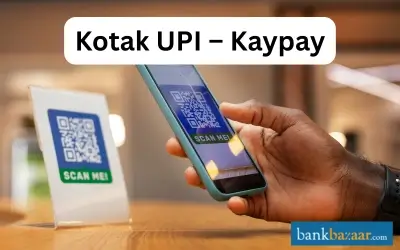
The VPA serves as a distinctive payment identifier so far as bank customers are concerned. Customers can also use the Unified Payment Interface to make payments to merchants who accept it as a mode of payment. The Kaypay application is said to enable Person to Person (P2P) as well as Person to Merchant (P2M) payments in a speedy and hassle-free manner.
Features and Benefits of Kaypay:
Kaypay can be used to perform the following actions:
- Create a VPA (Virtual Payment Address)
- Receive or send money
- Link all of your bank accounts
- Collect funds
- Set or reset the Unified Payment Interface PIN
- Balance enquiry
- Raise queries
- Check status of transactions
How does Kaypay work?
To get started with Kaypay, you will have to open the application and verify your mobile number which is registered with the bank. You will then be asked to link your accounts before creating your VPA (Virtual Payment Address) in the My Accounts section. The VPA will be yourname@kaypay. In case you have a Unified Payment Interfact PIN, it can be used here, if not, you will have to create a new one. Once the aforementioned steps have been followed, you will be allowed to go ahead and transact using a Virtual Payment Address.
Sending Money through Kaypay:
In order to send money to another entity using Kaypay, you will have to select the account from which the money is to be transferred. Then, enter the VPA address or the recipient's account IFSC. You will then have to enter the amount and also the Unified Payment Interface PIN so that the transaction is confirmed.
Requesting Money through Kaypay:
In order to request money from another entity using Kaypay, you will have to select the VPA on which the funds are to be sent. You will then have to enter the Virtual Payment Address from which the money will be sent to your account. Then, you will have to enter the amount you wish to request and then add comments and remarks before confirming the request.
FAQs on Kotak UPI – Kaypay
- What is Kaypay?
Kaypay is the Unified Payment Interface of Kotak Mahindra Bank. It is a bank agnostic payment application through which all your UPI-enabled bank accounts can be linked to receive or send funds in a safe and secure manner.
- What kind of transactions can be carried out using Kaypay?
Kaypay can be used to make both non-financial as well as financial transactions. Money can be sent by customers to their contacts and account numbers, money can be requested from your contacts and you will also be allowed to check your balance.
- Are there timings to follow when I want to send or receive money using Kaypay?
Kaypay works on Unified Payment Interface platform so customers have the freedom to transfer money using the app at any time. There are no banking hours to follow.
- Do I have to pay a fee or charge to use Kaypay?
No. All you have to do is register yourself and Kaypay can be used for free of cost.
- Which bank should I be a customer of to use Kaypay?
Kaypay does not require customers to be a customer of any bank in particular. As long as you are a customer of a bank within the country that participates on the Unified Payment Interface platform, you can use the application to send and receive money.
- What is the purpose of a UPI Mandate?
The UPI Mandate feature enables users to pre-authorise transactions, allowing debits from their bank accounts at a later time. This functionality is mainly useful for situations where a commitment to transfer funds is made in advance, such as service or merchant payments. The account holder's account is debited once the UPI mandate is executed.
- Can I link more than one bank account to a single VPA account?
Yes, one can link more than one bank account to a single VPA. When connecting a second bank account, users can select their existing VPA. In the case of multiple linked accounts, users can designate a default account for sending and receiving funds.
- What should I do if a transfer transaction fails or is sent to the wrong account?
In the event of a failed or misdirected transaction, users should thoroughly review the beneficiary details before initiating transactions. If an error occurs, users can file a complaint directly from the application's complaint section. Any funds from a failed transaction are automatically refunded to the account within seven working days.
- What are the common reasons for UPI transaction failures?
UPI transactions may fail due to various reasons, including system downtime, incorrect UPI PIN entry, inaccuracies in the recipient's UPI ID, or if the recipient is not registered on the Bharat Money Interface.
- What if my phone is lost or stolen?
In the event of a lost or stolen phone, the third party would be unable to access the Bharat Interface for Money as the UPI PIN, necessary for transaction approvals, remains confidential. Additionally, users are advised to promptly contact their bank's customer service to ensure the security of their account.
- What is the UPI PIN?
The UPI PIN is a four-digit to six-digit secret code established during the initial registration with the app. This unique code is required to authorise all bank transactions. Users must create a new UPI PIN within the Bharat Interface for Money app, as MPINs from other UPI services are distinct and cannot be used interchangeably.
- How do I create a VPA/UPI ID with the Kotak Mahindra Bank Mobile Banking App?
To create a VPA on the Kotak Mobile Banking App, navigate to the 'BHIM UPI' section in 'My Kotak' or 'Banking.' Select 'Manage VPA' and click 'Build VPA.' Choose the account to link, enter a new VPA, verify the details, and confirm. Your VPA will be generated and ready for use.
- What is the process of sending money through Kotak Mahindra Bank UPI?
Go to the ‘BHIM UPI’ section → ‘Send Money’ → choose ‘Pay to VPA’ or ‘Pay to Account’. For VPA, enter recipient’s VPA, amount, and remarks, then confirm. For account transfer, enter beneficiary details and confirm.
- How can I request money using Kotak Mahindra Bank UPI?
Open ‘Request Money’ in BHIM UPI → select VPA → enter recipient’s VPA, amount, and comments → submit and confirm. The recipient must accept the request to complete the transaction.
- How do I use the Scan & Pay through QR Code option with Kotak Mahindra Bank UPI?
At checkout, find the Bharat QR/UPI QR code → open Kotak app → select ‘BharatQR Scan & Pay’ → scan QR → choose account/UPI ID → enter amount → confirm with mPIN.
- How can I apply for an IPO using Kotak Mahindra Bank UPI ID?
Create a Kotak UPI ID/VPA in the BHIM UPI section → enter it in the IPO form → approve the mandate via app using UPI PIN. The amount will be blocked and deducted if shares are allotted.
- What offline and online solutions does Kotak Mahindra Bank UPI offer for merchants?
Kotak Mahindra Bank provides a range of UPI solutions for merchants, including offline solutions such as dynamic QR codes on bills/desktops and static QR codes at payment counters. For online solutions, merchants can trigger collect requests, generate QR codes, facilitate registration and payments within apps, and use intent calls for Android devices.

Disclaimer
Credit Card:
Credit Score:
Personal Loan:
Home Loan:
Fixed Deposit:


Copyright © 2026 BankBazaar.com.