


Locate Passport Seva Kendras Using the mPassport Seva App
The mPassport Seva app, listed on app stores as the Passport Seva App, is the Ministry of External Affairs' official mobile app for locating a Passport Seva Kendra (PSK), applying for a passport and tracking your application status. It is available for Android and iOS.
Table of Contents

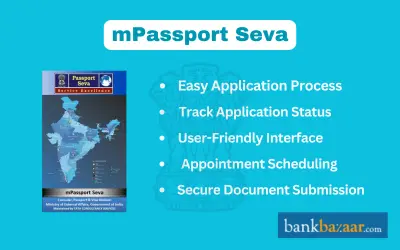
All of the features found on the Passport Seva Portal are also available on the lightweight, user-friendly mPassport Seva app.
The app offers an option to apply for services related to passports. The app provides details on how to get a passport-related service, including where to call if you have any questions or concerns.
You can get specific information about the following:
- Passport location centers
- Passport fees
- Contact details
- Passport application status
- General information about the passport
The Ministry of External Affairs (MEA's) CPV (Consular, Passport, and Visa) division and the Indian government are collaborating on the Passport Seva project to deliver all passport-related services in an open, practical, and timely manner.
In a private-public cooperation with TCS, (Tata Consultancy Services), it is one of the largest initiatives being carried out under the NeGP (National e Governance Plan). Through 37 Passport Offices and 500+ Passport Seva locations located around India, the project provides services to its citizens.
However, MEA had plans to make mobile services available to the general public, and it was at that time that the idea for the mPassport app was created and released. All smartphone users can choose from a variety of services provided by the app. For platforms running Android and iOS, the mPassport Seva app is accessible.
How to Apply for a New Passport Using the mPassport Seva App?
Obtaining a passport is now a lot simpler thanks to the government's launched mPassport Seva App mobile application. Due to two new initiatives, the app created by the Consular, Passport and Visa (CPV) division and introduced by Sushma Swaraj, then External Affairs Minister, on the occasion of Passport Seva Diwas, streamlines the entire procedure.
Along with streamlining the passport application procedure, the "Passport Application from Anywhere in India" and "Filling Passport Applications Forms from Mobile Phones" programs could also make things simpler for hundreds of Indian residents who intend to make the Haj pilgrimage.
Here, we look at how an applicant can apply for a fresh passport using the Passport Seva App. The process is similar to the existing system that is being followed by 'Passport Seva' website. The detailed process is mentioned below:
Step 1 : Download the mPassport Seva app available for Android or iOS
Step 2 : Open the app
Step 3 : Click on 'New User Register'
Step 4 : Select the Passport Office from the drop-down menu
Step 5 : Next, enter the details like name, date of birth, email ID etc
Step 6 : Following that, provide the unique login ID (It can be the same as the email ID that the applicant uses)
Step 7 : Provide a strong password
Step 8 : Select a security question and answer in order to retrieve the password if it is forgotten
Step 9 : Enter the captcha code and click on 'Submit'
Step 10 : On doing so, an email with a verification link would be sent to the provided email address by the passport office to activate the account
Step 11 : On clicking the verification link, the applicant will be redirected to a new webpage and asked to enter the login ID for confirmation
Step 12 : After the account is verified, the applicant is required to close the app and relaunch it
Step 13 : Next, the applicant is required to click on the 'Existing User' tab
Step 14 : Provide the Login ID, password, and the captcha code
Step 15 : Thereafter, click on 'Apply for fresh passport'
Step 16 : Fill in the form and follow the steps mentioned on the app
Step 17 : Make the payment of the requisite fee
Step 18 : The final step is to fix an appointment to visit a passport center for document verification
Payment of the applicable passport service fee is mandatory before an appointment can be booked at a Passport Seva Kendra. An applicant who does not visit the Passport Seva Kendra within 90 days of submitting the online application form has to resubmit the application. Appointments can be rescheduled up to three times, and Tatkaal appointments can be rescheduled once.
Applicants should download only the official Passport Seva App from the Google Play Store or the Apple App Store. The Ministry of External Affairs has cautioned that fraudulent websites and mobile applications collect applicant data and charge additional fees for filling in application forms and scheduling appointments.
How to Track Passport Application Status Using the mPassport Seva App
The status of the application made for a new passport can be tracked using the 'Status Tracker' on the app. After clicking on the icon of 'Status Tracker', the individual needs to select 'Application Status'. Thereafter, provide the file number and the date of birth and click on 'Track'.
Features of mPassport Seva App
- The app guides or gives information about the several steps that are involved to acquire a passport-related service. Say for example, where to ask if the customer has a concern or a query.
- A user can easily search for a DPC (District Passport Cell) or PSK (Passport Seva Kendra). In fact, a citizen who is living overseas can also look for relevant details about the Posts/Missions abroad.
- For some specific districts and states, a user can effortlessly search for his/her respective Police Station too.
- The app's Fee Calculator option also helps a user to get information about the fee, service charges, and the submission mode.
- A user can keep a track of his/her passport application status by just entering the date of birth and file number. If the passport is dispatched, the app also offers an option to track its delivery status.
- The Document Advisor option lists the documents an applicant should carry to a Passport Seva Kendra, and the app also lets an applicant schedule an appointment.
- Passport application fees were revised with effect from 1 July 2026, so applicants should check the revised fee, for example through the Fee Calculator, before making the payment.
- The toll-free National Call Centre on 1800-258-1800 provides information on passport services. Citizen service executive support is available from 8 a.m. to 10 p.m., and automated IVRS support is available 24 hours a day
Summary
The mPassport Seva app, listed on app stores as the Passport Seva App, lets you locate a Passport Seva Kendra, apply for a fresh passport, check fees and track your application on Android and iOS. Register as a new user, log in, complete the application, pay the fee and book an appointment at a Passport Seva Kendra for document verification. Download the official app from the Google Play Store or the Apple App Store to get started
FAQs on mPassport Seva
1.What is the mPassport Seva app
The mPassport Seva app is the Ministry of External Affairs' mobile app for passport services, and app stores list it as the Passport Seva App. It lets you locate a Passport Seva Kendra, apply for a passport and track your application status. The mPassport Seva app offers many of the same services as the Passport Seva portal.
2.Which smartphones support the mPassport Seva app?
The mPassport Seva app is available for Android and iOS smartphones. You can download it from the Google Play Store or the Apple App Store.
3.How do I avoid fake apps when downloading the mPassport Seva app?
Download the mPassport Seva app, listed as the Passport Seva App, only from the Google Play Store or the Apple App Store. The Ministry of External Affairs has cautioned against fraudulent websites and mobile applications that collect applicant data and charge additional fees.
4.Who runs the mPassport Seva app and the Passport Seva project?
The mPassport Seva app is part of the Passport Seva project of the Ministry of External Affairs, run by its Consular, Passport and Visa (CPV) division. The project works in a public-private partnership with Tata Consultancy Services (TCS) under the National e-Governance Plan.
5.What information can I get from the mPassport Seva app?
The mPassport Seva app gives you information about passport location centres, passport fees, contact details, application status and general passport procedures. It also guides you on where to ask if you have a concern or query.
6.Can I apply for a new passport on the mPassport Seva app?
Yes, you can apply for a fresh passport on the mPassport Seva app after registering and logging in. The process is similar to the one followed on the Passport Seva website. You fill in the form, pay the fee and book an appointment at a passport centre for document verification.
7.How do I register as a new user on the mPassport Seva app?
You register on the mPassport Seva app by choosing the new user registration option, selecting the passport office and entering details such as your name, date of birth and email ID. You then create a login ID, a strong password and a security question and answer, enter the captcha code and submit.
8.How do I activate my mPassport Seva account after registering?
You activate your mPassport Seva account by clicking the verification link sent to your registered email address and confirming your login ID. After the account is verified, close and relaunch the app and log in as an existing user with your login ID, password and captcha code.
9.Do I need an appointment after applying through the mPassport Seva app?
Yes, the final step of the mPassport Seva application process is to fix an appointment at a Passport Seva Kendra for document verification. The fee is paid before the appointment is booked, and you should carry all the necessary documents on the day of the visit.

Disclaimer
Credit Card:
Credit Score:
Personal Loan:
Home Loan:
Fixed Deposit:


Copyright © 2026 BankBazaar.com.