


A Step-by-Step Guide to Setting Up an ECS/NACH Mandate for RD
Setting up an ECS/NACH mandate for your Recurring Deposit is a simple yet crucial step toward achieving your savings goals efficiently. It automates payments, reduces manual errors, and ensures you never miss an installment.

What is an ECS/NACH Mandate?
An ECS/NACH mandate authorizes your bank to automatically debit a specific amount from your account at regular intervals to fund your RD.
- ECS (Electronic Clearing Service) is the older system managed by the Reserve Bank of India.
- NACH (National Automated Clearing House) is its newer, faster version managed by NPCI (National Payments Corporation of India).
Both serve the same purpose: simplifying periodic payments.
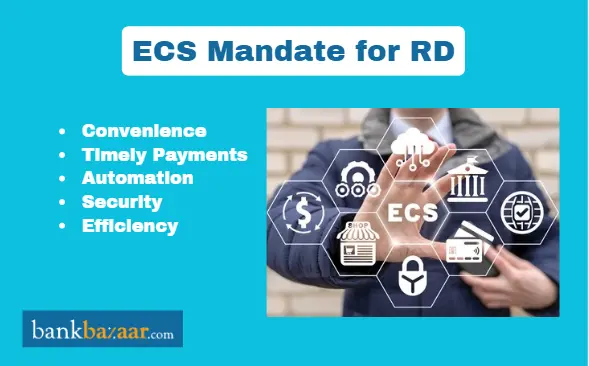
Benefits of Setting Up an ECS/NACH Mandate for RD
- Convenience: No need to visit the bank every month.
- Timely Payments: Prevents missed or delayed RD installments.
- Automation: Ensures your savings continue uninterrupted.
- Security: Operates under RBI and NPCI guidelines.
- Efficiency: Reduces manual errors and paperwork.
Documents Required for ECS/NACH Mandate Setup
Before starting the process, keep these documents ready:
- A cancelled cheque from the account to be debited
- A signed ECS/NACH mandate form (available from your bank or online)
- KYC documents (PAN card, Aadhaar card, etc.)
- A copy of your RD account details or passbook
Step-by-Step Process to Set Up ECS/NACH Mandate for RD
Step 1: Collect the Mandate Form
Visit your bank branch or download the ECS/NACH mandate form from the official website of your bank.
Step 2: Fill in the Required Details
Provide accurate information such as:
- Your account number
- Bank name and branch
- RD account number
- Monthly installment amount
- Frequency of debit (monthly, quarterly, etc.)
Step 3: Attach Supporting Documents
Attach a cancelled cheque and self-attested KYC documents with the filled form.
Step 4: Submit the Form to Your Bank
Submit the completed mandate form at your bank branch. Some banks allow online submission through net banking.
Step 5: Verification and Authorization
The bank will verify your details and send the request to the NPCI platform for authorization.
Step 6: Confirmation and Activation
Once verified, your ECS/NACH mandate is activated. You’ll receive a confirmation SMS or email from your bank. Your RD installments will now be automatically debited from your account.
How to Check ECS/NACH Mandate Status
You can check the status of your mandate:
- Through your bank’s net banking portal
- By visiting the branch
- Via email or SMS notifications sent by your bank
Common Reasons for Mandate Rejection
- Incorrect account details
- Signature mismatch
- Missing or invalid documents
- Insufficient balance during verification
- Outdated bank information
If rejected, correct the error and resubmit the form.
Tips to Ensure a Smooth ECS/NACH Setup
- Double-check all details before submission.
- Maintain sufficient balance in your account.
- Keep a copy of your mandate form for future reference.
- Register your mobile number with the bank for alerts.


FAQs on Guide to Set Up ECS/NACH Mandate for RD
- What is the difference between ECS and NACH?
ECS is an older system managed by the RBI, while NACH is the modern, faster, and more secure version managed by NPCI.
- Can I set up an ECS/NACH mandate online?
Yes, many banks offer online mandate registration through net banking or their mobile apps
- How long does it take to activate an ECS/NACH mandate?
Usually, it takes 7 to 10 working days, depending on the bank’s verification process.
- What happens if my account has insufficient balance on the debit date?
Your RD installment may fail, and your bank may charge a penalty. Ensure sufficient balance before the due date.
- Can I cancel or modify an existing ECS/NACH mandate?
Yes, you can cancel or modify the mandate by submitting a written request or online application to your bank.
- Is ECS/NACH mandate secure?
Yes, both ECS and NACH follow strict RBI and NPCI guidelines ensuring data security and transaction safety.
- Do I need to set up a new mandate if I open another RD?
Yes, a separate ECS/NACH mandate must be created for each new RD account unless your bank allows linking multiple deposits.
- How can I confirm if my mandate is active?
Check your bank’s net banking section or look for a confirmation SMS/email from your bank once the mandate is approved

Disclaimer
Credit Card:
Credit Score:
Personal Loan:
Home Loan:
Fixed Deposit:


Copyright © 2026 BankBazaar.com.